Manage your CUNY Login Password
To to change your password for your CUNY login account please take the following steps
Step 1
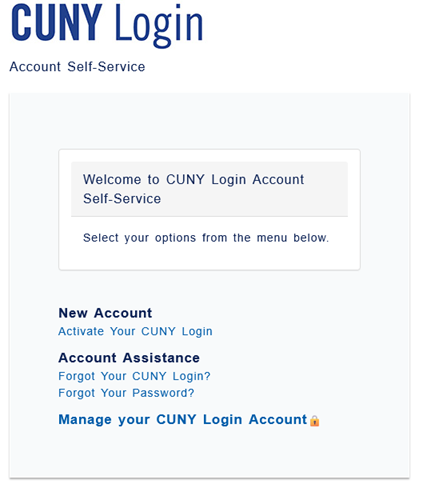
Go to https://managelogin.cuny.edu.
Navigate to the CUNY Login Account Self-Service page. If you have not yet activated your CUNY account select Activate Your CUNY Login and follow the steps. To change your password click on Manage your CUNY Login Account.
Step 2
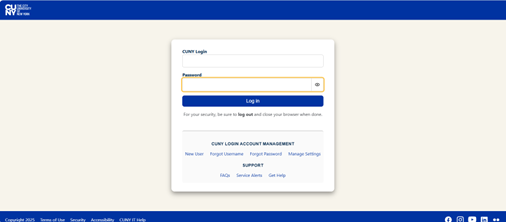
Log into CUNYfirst.
Use your CUNY login Credentials to log into CUNYfirst.
Step 3
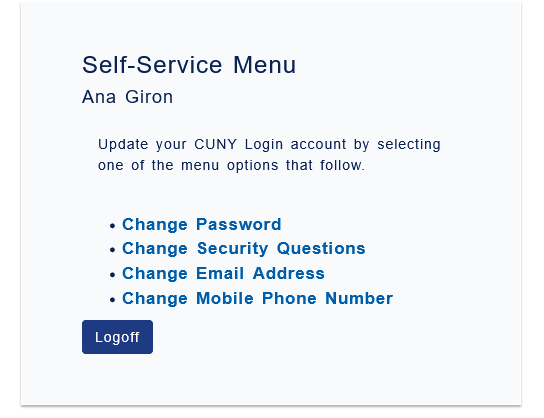
Select Change Password.
Choose the Change Password option.
Step 4
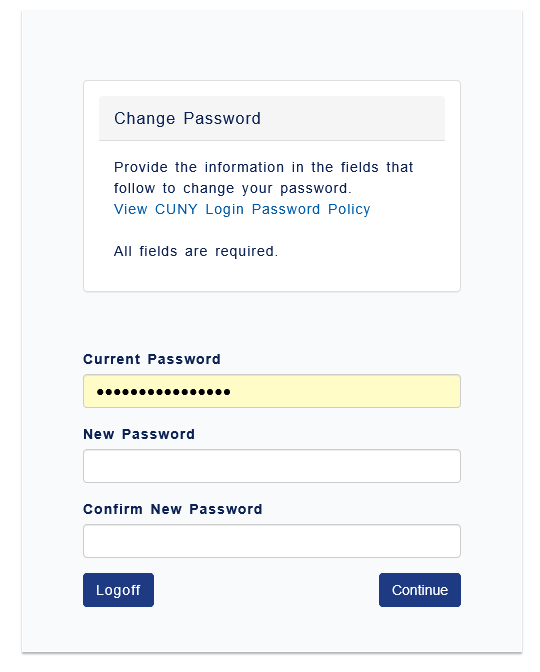
Enter your new password.
Step 5